Build 01 · Personal project
Building my portfolio with AI
Using Claude Code, Cursor, and a lot of iteration to design and build a portfolio that finally felt like me.
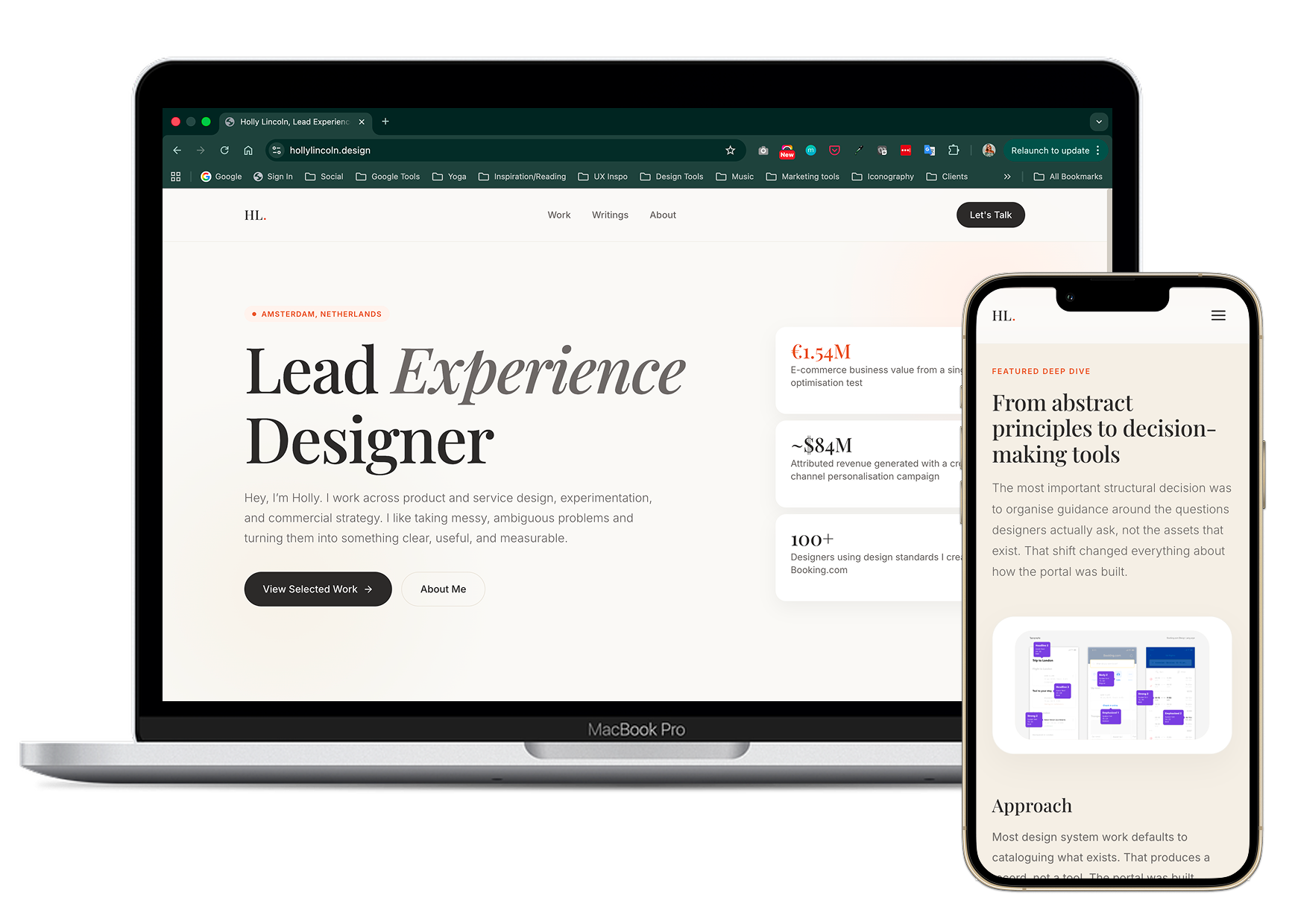
Build snapshot
Type
Personal website
Tools
Claude Code, Cursor, ChatGPT, Variant AI
Role
Creative direction, UX, content, build direction
Outcome
A live portfolio site with a clearer point of view and a structure I can keep evolving
Live site
hollylincoln.design ↗Estimated time
~10 hours
A portfolio that finally felt like the right fit
I wanted a portfolio that felt more considered, more personal, and more reflective of the kind of work I want to do next. Instead of using a template as-is, I used AI tools to help me design, build, refine, and problem-solve my way to a site that felt much closer to the right fit.
Why I made it
My old portfolio no longer matched the level of work I wanted to be known for. I wanted something that felt sharper, more intentional, and more reflective of the overlap between product design, growth thinking, and systems work.
I also wanted to use the project as a way to learn how to actually work with AI as a build partner, not just as a writing tool.
What I built
A brand new unique redesigned portfolio site hard coded from scratch
6 case studies with an updated case study structure and hierarchy
A clearer visual system across projects
A stronger link between positioning, proof, and personality
A site I can keep extending over time
Process
How it came together
Less shortcut, more working partner
I used AI less as a shortcut and more as a working partner across different parts of the process. The speed came from the back-and-forth between tools, but the quality still depended on judgment, editing, and knowing when to ignore the first answer.
Variant AI: design exploration
I used Variant AI to explore visual directions quickly, generating layout and component variants that would have taken much longer to prototype manually. It was most useful for making decisions faster, not for generating final output. Seeing options side by side helped me get to a stronger point of view more quickly than iterating on a single direction would have.
ChatGPT: content and framing
ChatGPT helped me think through structure, positioning, case study framing, and content decisions. It was especially useful for getting unstuck, comparing options, and tightening ideas before building. It also helped me with prompt optimisation so I could create detailed implementation prompts for Claude.
Claude Code: implementation
Claude Code helped with implementation. I used it to scaffold sections, generate and edit code, troubleshoot issues, and move faster through layout and interaction decisions.
Cursor: review and refinement
Cursor became the place where I reviewed, edited, and refined the output. That part mattered a lot. The speed came from the back-and-forth between tools, but the quality still depended on judgment, editing, and knowing when to ignore the first answer.
Where the workflow got messy
The process was not smooth the whole way through. I hit token limits in Claude Code, went down rabbit holes, and lost time fixing things that looked simple on the surface. AI made some parts much faster, but it also created new kinds of friction, and that was probably the biggest lesson.
What this build taught me
Working this way is powerful, but it still needs patience. The clearer the brief, the better the output,and build quality still depends on design judgment, not just generation speed.
AI is useful for momentum, not taste
The tool can generate a lot quickly. But knowing what to keep, what to cut, and what to push further, that still comes from you.
The clearer the brief, the better the output
Vague prompts produce vague results. The quality of what came back was almost always proportional to how clearly I'd framed the problem.
Build quality still depends on design judgment
AI can write the code and suggest the layout. It cannot tell you when something is off; that still requires a trained eye and willingness to iterate.
AST surf website redesign
A speculative build to test how quickly I could go from audit to pitch-ready MVP with AI as part of the workflow.